At your fingertips
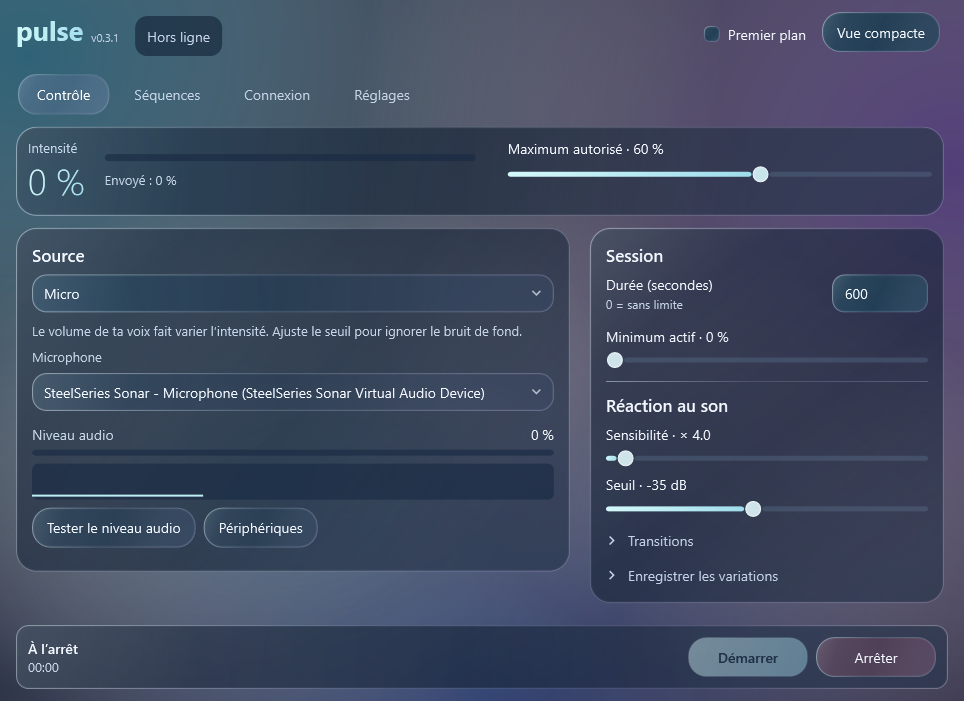
Set intensity from 0 to 100%, adjust the limit, and keep the controls within reach in the compact view.
Manual controlA remote, right on your PC
Your voice, music, or a simple gesture. Pulse turns your PC into a remote for the Lush 4 connected to your partner’s iPhone.
The app is currently available in French only.
Features
Set intensity from 0 to 100%, adjust the limit, and keep the controls within reach in the compact view.
Manual controlLet your microphone, PC audio, or a selected application drive the intensity. Adjust sensitivity and the trigger threshold.
Audio responseDraw a curve, compose personal patterns, and record intensity changes to return to your favourite rhythms.
Personal patternsConnection
Pulse uses the official Lovense API. Your partner authorizes the connection in Lovense Remote and can disconnect from their side.
Your partner connects their Lush 4 to Lovense Remote.
With a valid Lovense developer configuration, Pulse displays a QR code for your partner to scan and authorize.
About
Pulse is a Windows app in development, designed for private use with a partner. This page introduces the project; it cannot control a device and does not offer a public download.
Pulse uses the Lovense Standard Socket API to connect a PC to a Lush 4 through Lovense Remote on iPhone, with the partner’s authorization. Features include manual intensity control, audio-reactive vibration and personal patterns. A valid Lovense developer configuration is required. This is an independent, non-commercial project under development.